

It’s the third time this year someone has asked which laptop to buy, and the answer still depends on who happens to be in the office that day. An IT policy for small business ends that loop. An IT policy is a short written record of how your business chooses, uses, and protects its technology, so the same decision gets made once instead of over and over. This guide covers what an IT policy is, who should own one, the six areas to include, a template you can copy, and how to write yours one area at a time.
In short: an IT policy for small business is a few pages that set the rules for buying, using, and protecting the business’s technology, along with the steps staff follow for each rule. The owner signs it off. It covers six areas: cloud software and files, paper records, phones, AI tools, security and devices, and purchasing. Write it one area at a time, starting with the area that causes the most repeat questions, and review it once a year.
These are the points to keep at hand:
- Length: a few pages is enough for a small business.
- Owner: the business owner signs it off; an IT provider advises, and an office manager keeps the procedures current.
- Structure: each area has a policy statement (the rule) and a procedure (the steps staff follow).
- Security basics: multi-factor authentication, a password manager, software updates, backups, access limited to what each role needs, and accounts removed as soon as someone leaves.
- Review: once a year, and whenever the business adds a major tool, changes IT provider, moves premises, or changes how people work.
What is an IT policy?
An IT policy, also called a technology policy, is a written document that sets out how a business buys, uses, and secures its technology. The policy records decisions about software, devices, phones, data, and AI tools, along with the procedures staff follow, so those decisions are applied the same way every time.
For a small business, the document can be a few pages long. Each area gets a short policy statement (the rule) and a procedure (the steps staff follow, often called a standard operating procedure or SOP). A rule such as “client files are saved only in the shared cloud drive” sits in the policy, and the steps for setting up that drive on a new laptop sit in the procedure.
Who owns the IT policy in a small business?
The owner owns the IT policy. Technology decides how quickly information moves through the business, where your team can work from, and how securely client data is held, so the policy belongs to whoever is accountable for where the business is heading.
An IT provider or technology partner can recommend options and set systems up, and an office manager can keep the procedures current. The decisions behind the policy still need the owner’s sign-off, because they shape budgets and how each person in the business works. The Australian Signals Directorate’s latest threat report urges organisations to “replace legacy technology or put appropriate mitigations in place” (ASD Annual Cyber Threat Report 2024–25), and a replacement decision like that is an owner’s call.
What should an IT policy for small business include?
Six areas cover the technology a typical small business runs on. Keep each section short: what you use, who can use it, and how.
1. Cloud software and file storage
List the cloud applications the business uses (software accessed over the internet, such as accounting, email, and file-sharing platforms), where files are saved, and who has access to which folders. If any work still lives on a server in the office, note the server and the plan for it.
The Australian Cyber Security Centre’s Small Business Cyber Security Guide includes considering a move to the cloud among its steps for securing your network. If you’re weighing that move, Sky’s guide to choosing between a cloud and an on-premises server compares the two for a small business.
2. Paper records and going paperless
Decide which documents still need to exist on paper, how paper is scanned and filed, and how long records are kept. When team members work from more than one location, paper on one desk is information the rest of the team can’t reach.
Going digital is accepted for tax purposes. According to business.gov.au, the ATO accepts electronic images of paper records if they’re “a true and clear reproduction” of the originals, and most business records need to be kept for 5 years, with company and employee records kept for 7.
3. Phones and communication
Set out the business phone system, how calls reach staff away from the office, voicemail and call-handling settings, and whether calls are recorded. Internet-based phone systems (VoIP, short for voice over internet protocol) can ring on a laptop or mobile anywhere with a connection, and some can record calls and produce transcripts.
If you plan to record calls, privacy and consent rules apply, and those rules differ between states. Confirm what applies to your business before switching recording on.
4. AI tools
List the AI tools the business has approved, what staff may use each one for, and what must never be entered into them. The Office of the Australian Information Commissioner recommends that “organisations do not enter personal information, and particularly sensitive information, into publicly available generative AI tools” (OAIC, 2024).
5. Security, devices, and data privacy
A written security section protects the business, its clients, and its data. The section should cover:
- Sign-ins: multi-factor authentication (a second check, such as a code on your phone, on top of a password) on each business account that offers it, and a password manager so each account has its own password. Business.gov.au’s cyber security checklist advises: “Use a password manager to safely store unique passwords for all your accounts.”
- Updates and backups: automatic software updates, and regular backups stored away from the main system.
- Access: who can see which data. The same checklist recommends that you “manage staff permissions so each employee only has access to the systems and data they need for their job” and avoid shared accounts.
- People leaving: the steps for offboarding (closing a departing team member’s access). Business.gov.au advises: “Remove staff members’ accounts as soon as they stop working in your business,” and change any shared logins they knew.
- Devices and remote work: automatic screen locking, and whether staff can use their own phones or laptops for work, with the rules that apply if they do.
- Cyber insurance: whether the business holds it and what the cover includes.
The ACSC’s guide lists turning on multi-factor authentication, updating software, backing up information, and setting up access controls among its core steps. The cost of skipping them is measurable: small businesses that reported cybercrime to ASD in 2024–25 lost $56,600 per report on average, up 14% on the year before (ASD Annual Cyber Threat Report 2024–25).
Privacy belongs in the same section. Under the Privacy Act, a business with an annual turnover of $3 million or less is generally treated as a small business and is not covered, but the exceptions include health service providers, businesses that trade in personal information, and AML/CTF reporting entities (OAIC). To check each of these steps in order, work through Sky’s small business cyber security checklist.
6. Buying equipment and software
Write down how the business judges a technology purchase. Test each option against what the business needs today and where you expect it to be in one, five, and ten years: how many people, where they’ll work, and which systems they’ll need to reach.
Compare options on what each costs over the full period you need it to last. A phone system that can’t follow your team out of the office, or a computer that can’t run next year’s software, becomes a second purchase.
What does an IT policy template look like?
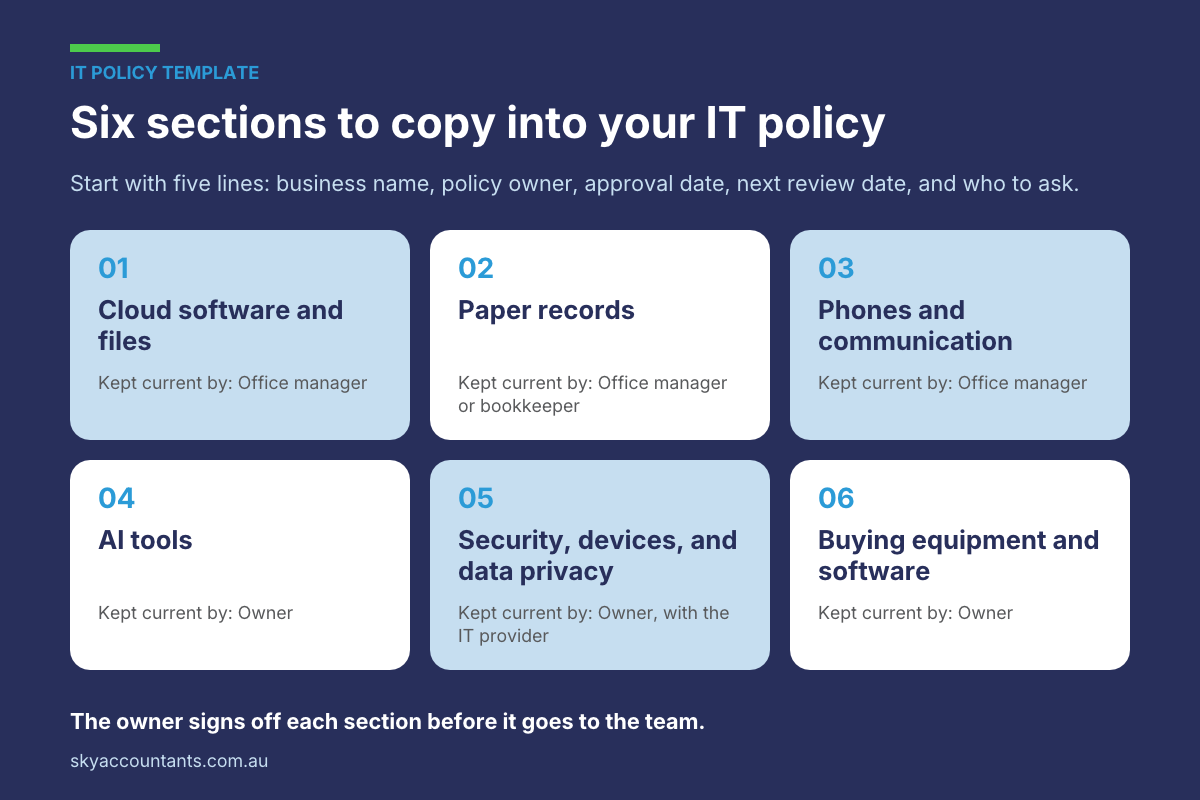
An IT policy template is a skeleton with one section for each area, and each section holds the same four parts: what the business uses, who can use it, the rule, and the procedure. Start the document with five lines: the business name, the policy owner, the date it was approved, the next review date, and who to ask when something isn’t covered. Then copy this outline and fill in one row at a time:
| Section | What to record | Who keeps it current |
|---|---|---|
| 1. Cloud software and files | Each cloud application, where files are saved, and who can open which folders | Office manager |
| 2. Paper records | What stays on paper, how it’s scanned, and how long records are kept | Office manager or bookkeeper |
| 3. Phones and communication | The phone system, call handling away from the office, and any call recording | Office manager |
| 4. AI tools | Approved tools, what each is used for, and what must never be entered | Owner |
| 5. Security, devices, and data privacy | Sign-ins, updates, backups, access, offboarding, personal devices, and cyber insurance | Owner, with the IT provider |
| 6. Buying equipment and software | How purchases are judged and who approves them | Owner |
The owner signs off each section before it goes to the team, whoever keeps it current.
How do you write an IT policy, one area at a time?
Writing a full IT policy in one sitting is a big job that’s easy to put off, so work through the policy in pieces:
- Pick one of the six areas, starting with the one that causes the most repeat questions in your business.
- Write the policy in a few sentences: what the business uses and the rule for using it.
- Write the procedure: the steps staff follow, in order.
- Check both with your IT provider or technology partner.
- Share them with the team and add them to onboarding for new team members.
- Move to the next area.
Working one area at a time keeps each step small enough to finish in a week.
Why does a written policy speed up decisions and onboarding?
Undecided questions slow a business down: which laptop to buy, which provider to call, and which app to use for sharing files. Each question waits for the owner, then gets asked again by the next person.
Once the answer is written down, staff can act without waiting, and newcomers learn the setup from the document instead of from whoever has time to explain it. The ACSC’s guide also recommends ongoing cyber awareness training for employees, and a written policy gives that training a reference point.
How often should you review your IT policy?
Review the whole policy once a year, because technology changes, and so does the official guidance on using it. The OAIC’s guidance on AI products, for example, was published in October 2024 and updated in January 2025.
Between yearly reviews, review the relevant area whenever the business adds a major tool, changes IT provider, moves premises, or starts hiring people who work remotely. Check the AI section more often than the rest.
Frequently asked questions about IT policies
What IT policies does a small business need?
Many small businesses can start with one combined IT policy covering six areas: cloud software and files, paper records, phones, AI tools, security and devices, and equipment purchasing. Larger teams sometimes split these into separate documents, such as an acceptable use policy or a bring-your-own-device policy. Start with one document, and split it only when it grows too long to use.
What should an IT policy include?
For each area, include what the business uses, who can access it, the rules for using it, and the procedure staff follow. Add who owns the policy, the date of the last review, and who to ask when something isn’t covered. Security items should reflect the ACSC’s Small Business Cyber Security Guide, including multi-factor authentication, updates, and backups.
Is there an IT policy template for small business?
Yes. A simple IT policy template has a header (business name, policy owner, approval date, next review date, and contact) and one section for each of the six areas. Each section records what the business uses, who can use it, the rule, and the procedure. The outline in this guide gives you the sections to copy.
Does a small business with only a few staff need an IT policy?
Yes, and a short policy is enough. A team of three still makes decisions about devices, passwords, client data, and AI tools. Writing those decisions down takes an afternoon or two, gives new team members a reference, and saves the owner from answering the same questions again each time someone joins.
Who should write a small business IT policy?
The owner makes the decisions, because the policy shapes how the whole business works. An IT provider or technology partner can recommend options and check the security steps, and an office manager can draft the procedures. The owner signs off each area before it goes to the team, and the policy names who to contact with questions.
How often should an IT policy be reviewed?
Review the whole policy at least once a year. Review the relevant area whenever you add a major tool, change IT provider, move premises, or hire staff who work remotely. Check the AI section more often, because AI tools and the official guidance on using them change quickly.
What should you do this week?
An IT policy for small business turns technology decisions into a written reference, so decisions happen faster and new team members get up to speed sooner. Copy the template, pick one area, write the policy and the procedure, and build from there.
Privacy, record-keeping, and call-recording obligations depend on your business, so raise them with your accountant or legal adviser before relying on any one rule.
To talk through how technology spending fits your business plan and budget, book a call with Sky Accountants.